
Samsung Dishwasher Not Draining? 5 Causes and What to Check
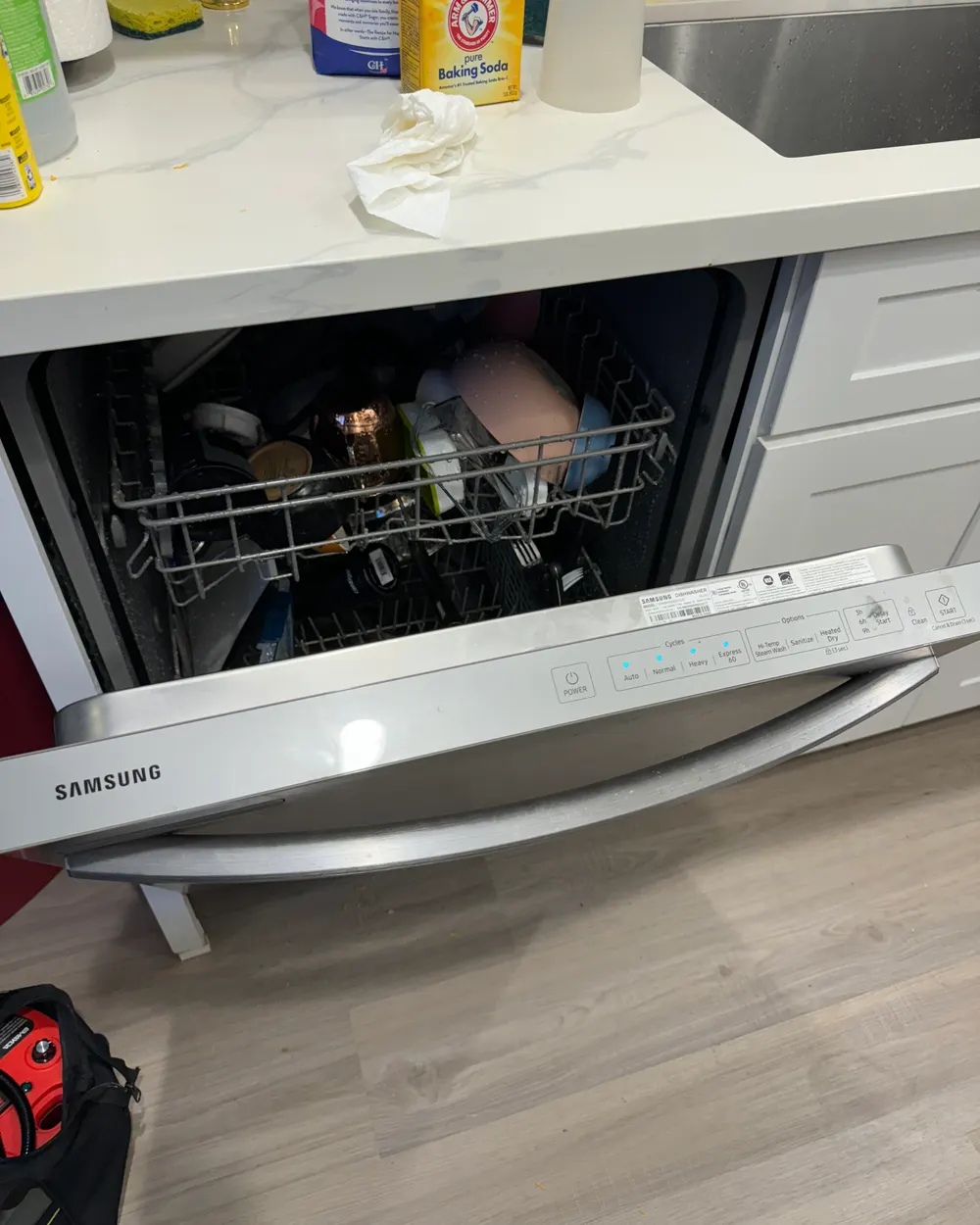
You open your Samsung dishwasher expecting clean dishes and instead find two inches of murky water sitting at the bottom of the tub. The dishes are half-clean, there might be food particles floating around, and the drain cycle clearly didn't finish.
This is one of the most common Samsung dishwasher complaints we hear from homeowners in the Escondido area. Samsung dishwashers use a drain pump and a series of hoses to move water from the tub to your home's drain line. When any part of this path gets blocked or a component fails, water stays in the tub. The good news: about half the time, the cause is something you can fix yourself in under 15 minutes.
Error codes — check your display first
5E / SE — Primary drain error. The dishwasher attempted to drain but the water level sensor still detects water after the drain cycle.
OC — Over capacity. The dishwasher detects too much water in the tub — can happen if the drain line is backing up or the water inlet valve is leaking.
LC / LE — Leak error. The leak sensor in the base pan detected water. Check for water under the dishwasher before running it again.
Samsung Dishwasher Error Codes for Drain Issues
Before you start troubleshooting, check the display panel for error codes:
5E (or SE on older displays) — this is Samsung's primary drain error. It means the dishwasher attempted to drain but the water level sensor still detects water after the drain cycle. This code triggers when the pump ran but couldn't clear the water.
OC (Over Capacity) — the dishwasher detects too much water in the tub, which can happen if the drain line is backing up or if the water inlet valve is leaking during the drain phase.
LC or LE (Leak Error) — the leak sensor in the base pan detected water. This can be caused by a drain hose leak or a failed pump seal. If you see this code, check for water under the dishwasher before running it again.
Cause 1: Clogged Drain Filter
This is the most common cause and the easiest fix. Samsung dishwashers have a cylindrical filter and a fine mesh screen at the bottom of the tub. Food particles, grease, and small debris collect here over time and eventually block water from reaching the drain pump.
DIY Fix: Remove the bottom rack. Locate the filter assembly at the center of the tub floor. Twist the cylindrical filter counterclockwise and lift it out. Remove the fine mesh screen underneath. Rinse both under running water, using a soft brush to remove stuck-on debris. Reinstall the mesh screen first, then the cylindrical filter (twist clockwise to lock). Run a rinse-only cycle to test.
Cause 2: Kinked or Clogged Drain Hose
The drain hose runs from the dishwasher's pump to either your garbage disposal or the drain pipe under the sink. If this hose gets kinked during installation or clogged with food buildup, water can't leave the dishwasher.
How to check: Open the cabinet under the sink and inspect the drain hose visually. Look for kinks, sharp bends, or crushing (from items stored in the cabinet pushing against it). If the hose looks clear externally, disconnect it from the disposal or drain fitting and check for blockages inside — flush it with water from a faucet.
Cause 3: Garbage Disposal Knockout Plug
If your dishwasher was recently installed or you got a new garbage disposal, this is a common oversight. Garbage disposals ship with a knockout plug in the dishwasher drain port. If the installer forgot to remove this plug, the dishwasher's drain hose connects to a sealed port and water has nowhere to go.
How to check: If the dishwasher never drained properly from day one (since installation), this is very likely the cause. You'll need to remove the drain hose from the disposal, then use a screwdriver and hammer to knock the plastic plug inward, and remove it from inside the disposal.
Cause 4: Clogged Air Gap or High Loop Issue
Many installations include an air gap on the countertop next to the faucet, or at minimum a high loop in the drain hose. The air gap prevents dirty water from the sink drain from flowing back into the dishwasher. If the air gap is clogged with debris, water backs up during the drain cycle.
How to check: Remove the air gap cap (the chrome or plastic cylinder on the countertop). Remove the inner cover and clean out any buildup. If you don't have an air gap, verify that the drain hose loops up to the underside of the countertop before going down to the disposal — this high loop serves the same anti-backflow purpose.
Cause 5: Failed Drain Pump
If you've cleared the filter, checked the hose, and verified the air gap, the drain pump itself may have failed. Samsung dishwasher drain pumps are small impeller-style pumps that can burn out after 5–8 years of use. Signs of a failed pump: you hear a humming noise during the drain cycle but water doesn't move, or the pump is completely silent when it should be running.
This is not a DIY repair. The drain pump is located under the dishwasher tub and requires removing the unit from the cabinet to access. Pump replacement typically costs from $250 installed, including the part.
When to Call a Professional
If the filter is clean, the hose is clear, and the air gap is open — and the dishwasher still won't drain — the drain pump or the control board is likely the issue. Our technicians carry Samsung-specific diagnostic tools and can test the pump motor, wiring harness, and control board relay on the first visit. Most drain pump replacements are completed within 1–2 hours.
Key Takeaways
| Most common cause | Clogged drain filter — clean every 2 weeks |
| Error codes | 5E = drain fail, OC = overflow, LC = leak detected |
| DIY success rate | ~50% resolved by filter cleaning or hose check |
| When to call | Pump is humming but not draining, or completely silent |
Samsung dishwasher still holding water after trying these steps?
Our technicians carry Samsung-specific diagnostic tools and can test the pump and control board on the first visit.
$90 diagnostic applied toward repair · 90-day guarantee
Open 7am to 9pm, every day
Call Now: (858) 886-8646 — Book Online & Save $20
Frequently Asked Questions
What does the 5E or SE error mean on my Samsung dishwasher?
5E (shown as SE on older displays) is Samsung's primary drain error. It means the pump ran but the water level sensor still detects water in the tub after the drain cycle, so something in the drain path is blocked or the pump failed. Start with the filter and drain hose, the most common causes. If those are clear and the code returns, the drain pump or control board likely needs a professional test.
Why is there standing water in the bottom of my Samsung dishwasher?
Standing water after a cycle means the dirty water never made it out. The most frequent cause is a clogged drain filter, followed by a kinked or clogged drain hose and a blocked air gap. About half the time you can fix it yourself in under 15 minutes by cleaning the filter and checking the hose. If the dishwasher never drained from the day it was installed, suspect a garbage disposal knockout plug that was left in place.
How do I clean the drain filter on a Samsung dishwasher?
Pull out the bottom rack and find the filter assembly in the center of the tub floor. Twist the cylindrical filter counterclockwise, lift it out, and remove the fine mesh screen underneath. Rinse both under running water with a soft brush to clear food and grease. Reinstall the mesh screen first, then lock the cylindrical filter clockwise, and run a rinse-only cycle to test. Doing this every two weeks prevents most drain problems.
When is a Samsung dishwasher drain problem not a DIY fix?
If the filter is clean, the hose is clear, and the air gap is open but the dishwasher still holds water, the drain pump or control board is the likely cause — a humming-but-no-flow or completely silent pump is the tell. That repair means removing the unit from the cabinet, so it is not a DIY job. Our technicians carry Samsung-specific tools and finish most drain pump replacements in one to two hours across Escondido and North County. The $90 diagnostic is applied toward the repair, with a 90-day guarantee. Call (858) 886-8646 or book online to save $20.
Walked Through It and It Still Won't Cooperate?
Some fixes need a meter, a part, and a second pair of hands. Call us or book online — the $90 diagnostic comes off the bill when you approve the repair.